The Ultimate Guide to Choosing an Ergonomic Gaming Chair in 2026

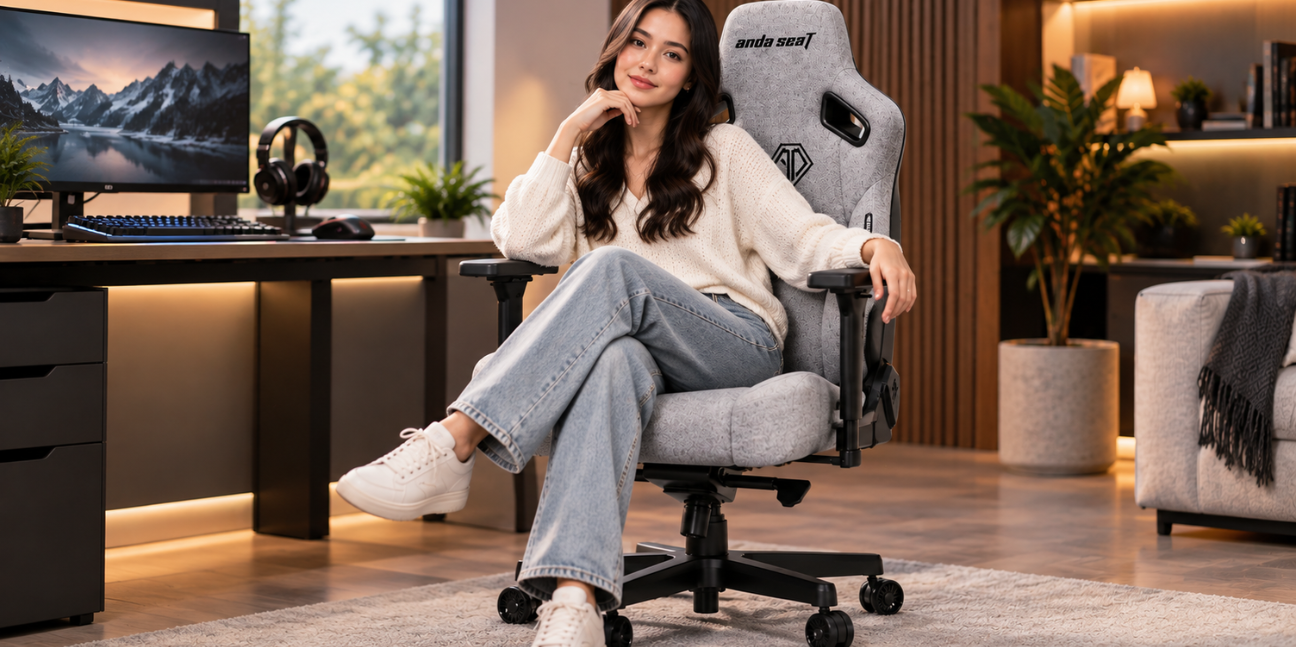
A gaming chair is no longer simply a statement piece for a dedicated gaming room. With more people spending extended periods at computers for gaming, remote work, studying, streaming, and creative projects, the right chair has become an important part of a comfortable desk setup. An ergonomic gaming chair can provide support and adjustability designed around long periods of sitting while also bringing a distinctive gaming-inspired appearance to a workspace.
A gaming chair is no longer simply a statement piece for a dedicated gaming room. With more people spending extended periods at computers for gaming, remote work, studying, streaming, and creative projects, the right chair has become an important part of a comfortable desk setup. An ergonomic gaming chair can provide support and adjustability designed around long periods of sitting while also bringing a distinctive gaming-inspired appearance to a workspace.
Choosing the right model, however, can be challenging. Gaming chairs vary considerably in their materials, sizing, lumbar support, armrest configurations, reclining mechanisms, cushioning, and overall adjustability. A chair that works well for one person may not be the ideal choice for another.
AndaSeat offers several options across different price and feature levels, making its range useful for understanding what matters when choosing an ergonomic gaming chair. The Novis Series focuses on value while incorporating ergonomic features, the Kaiser 3E Series adds greater adjustability and support, and the Kaiser 4 Series takes adjustability further with features such as 6D armrests and an advanced lumbar system.
This guide explores the most important factors to consider when selecting an ergonomic gaming chair in 2026 and explains how different features can match different gaming and workstation needs.
Why Ergonomics Matter in a Gaming Chair
Ergonomics is primarily about designing equipment and environments around the person using them. In a chair, this means supporting a comfortable seated position while allowing the user to adjust important contact points according to their body and desk setup.
Gaming sessions can last for hours, while remote workers and students may remain at their desks for much of the day. A chair with insufficient support or limited adjustability can make it difficult to maintain a comfortable working position.
An ergonomic gaming chair should therefore be evaluated as more than a decorative addition to a setup. Seat height, back support, lumbar positioning, armrest placement, head and neck support, recline, and cushioning all contribute to how well a chair fits an individual's routine.
The goal is not to find a chair with the longest list of features. Instead, the goal is to find a model with useful adjustments that match the user's body, desk, activities, and budget.
Start With the Correct Chair Size
One of the most important considerations is size. A chair can have excellent materials and advanced mechanisms, but an unsuitable size can compromise overall comfort.
Many gaming chairs are offered in different size configurations because people have different heights, weights, and body proportions. AndaSeat's range includes models with L and XL options in several of its chair series, giving buyers additional flexibility when selecting a suitable fit.
A suitable chair should provide enough seat space without making it difficult to use the backrest and lumbar support effectively. The feet should also be able to rest comfortably while the knees remain in a natural position.
When comparing chairs, published measurements should be checked carefully rather than relying solely on labels such as "large" or "XL." Seat dimensions, chair height, backrest dimensions, and recommended user ranges can provide a better indication of whether a particular model is appropriate.
Look for Meaningful Lumbar Support
Lumbar support is one of the defining features of an ergonomic chair. The lower back naturally has a curve, and a chair's lumbar system should complement that area rather than leaving it unsupported.
Different gaming chairs use different approaches. Some rely on removable cushions, while others incorporate adjustable mechanisms directly into the backrest.
AndaSeat's current lineup demonstrates this range. The Novis Series features a 5cm raised lumbar area with optional pillows, while the Kaiser 3E Series also uses a 5cm raised lumbar design. The Kaiser 4 Series introduces a pop-out lumbar system with an any-angle locking mechanism.
These differences matter because adjustability can make it easier to personalize support. A fixed cushion may work well for one user but feel too prominent or insufficient for another. A built-in adjustable system can provide more control over the position and feel of lumbar support.
Understand Armrest Adjustability
Armrests are another feature that can significantly affect the usability of a gaming chair. Their purpose is to help position the arms comfortably while using a keyboard, mouse, controller, or other desk equipment.
Poorly positioned armrests can force the shoulders upward or leave the elbows unsupported. Excessively low armrests can create a different set of positioning problems.
The amount of adjustment available varies between models. The Novis Series includes 7cm up-and-down armrest adjustment, while the Kaiser 3E features 4D armrests. The Kaiser 4 moves further with 6D armrests.
More adjustment does not automatically mean a chair is better for every person. The important consideration is whether the available movements make it easier to align the armrests with the user's preferred desk position and activities.
For someone who frequently switches between typing, gaming with a mouse, using a controller, and watching content, broader armrest adjustment may be particularly useful.
Consider the Reclining Mechanism
An ergonomic gaming chair does not need to remain completely upright at all times. A reclining backrest can provide flexibility when switching between focused desk work and relaxed activities.
A more upright position can be useful for typing, competitive gaming, and productivity. A reclined position may be preferable during video watching, reading, casual gaming, or breaks.
The key is having a mechanism that feels stable and easy to operate. A reclining chair should allow users to change position without making the entire setup feel unstable.
Reclining should also be considered alongside the rest of the chair's ergonomics. A chair that reclines well but provides limited support in its primary working position may not be suitable for someone who spends most of the day at a desk.
Evaluate the Cushioning and Seat Design
The seat is where the body remains in contact with the chair for extended periods, so cushioning deserves careful consideration.
A seat that is excessively soft may feel comfortable initially but provide insufficient support over long periods. Conversely, an overly firm seat may not suit every user. The ideal balance depends on personal preference, body weight, sitting habits, and the chair's overall construction.
Seat width and depth also matter. A deeper seat is not necessarily better if it prevents shorter users from sitting comfortably against the backrest. Similarly, a narrow seat may not provide enough freedom of movement.
The best ergonomic gaming chair should allow the user to sit back against the support system without feeling compressed or forced into an awkward position.
Pay Attention to Materials
Chair materials affect appearance, maintenance, feel, and long-term usability. Gaming chairs are commonly available in leather-like materials, fabric, mesh, and other upholstery options.
Each has potential advantages depending on the environment. A leather-like surface can offer a sleek appearance and may be relatively easy to wipe clean. Fabric can provide a different tactile experience, while mesh emphasizes airflow and breathability.
The Kaiser 4 Series, for example, is currently promoted by AndaSeat with stain-resistant sustainable leather alongside its 6D armrests and pop-out lumbar system.
Material selection should also account for room temperature and usage habits. Someone gaming in a warm environment may prioritize breathability, while another buyer may place greater importance on easy maintenance and a premium appearance.
Build Quality Should Be Part of the Decision
A gaming chair represents a relatively substantial purchase for many users, making construction quality an important consideration.
The base, casters, gas lift, recline mechanism, seat frame, and upholstery all contribute to the overall ownership experience. A chair should feel stable when moving, reclining, and changing position.
AndaSeat highlights different construction elements across its range. The Kaiser 3E Series, for example, is promoted with an aluminum and iron wheelbase, while the company provides dedicated technical resources for its Kaiser models.
A warranty can also provide useful reassurance when comparing long-term purchases. AndaSeat currently advertises a five-year warranty on its site, although buyers should review the applicable warranty terms for the specific product and region.
Match the Chair to the Primary Activity
Not every gaming chair is purchased primarily for gaming. The same chair may serve as a workstation during the day and a gaming seat at night.
For remote workers, adjustability and an upright working position may be priorities. Competitive gamers may focus on stable positioning, armrest flexibility, and lumbar support. Casual gamers may prefer a balance between comfort and value.
Students can benefit from a chair that works for studying as well as entertainment. Streamers and content creators may spend long periods switching between gaming, editing, browsing, and recording.
This is why an ergonomic gaming chair should be evaluated according to its complete usage pattern rather than the number of hours spent gaming alone.
Comparing Different Price Levels
Price is naturally an important part of the decision. An inexpensive chair can be attractive for buyers setting up their first gaming station, while more advanced models can make sense for people who spend many hours at their desks and want additional adjustability.
AndaSeat's current range illustrates this progression. The Novis Series is listed from $219, while the Kaiser 3E Series is listed from $349 and the newer Kaiser 4 Series from $549 on the company's current product pages. Prices and promotions can change, so buyers should verify current pricing before purchasing.
The Novis Series can therefore appeal to buyers looking for a more accessible entry point into ergonomic gaming seating. Its 5cm raised lumbar support and adjustable armrests provide features that go beyond a basic fixed gaming chair.
The Kaiser 3E Series sits higher in the range and combines 5cm raised lumbar support with 4D armrests and a more substantial wheelbase construction.
The Kaiser 4 Series is designed for buyers seeking more extensive adjustment. Its pop-out lumbar system and 6D armrests make it particularly relevant for users who want to fine-tune multiple contact points.
What Makes the Novis Series Worth Considering?
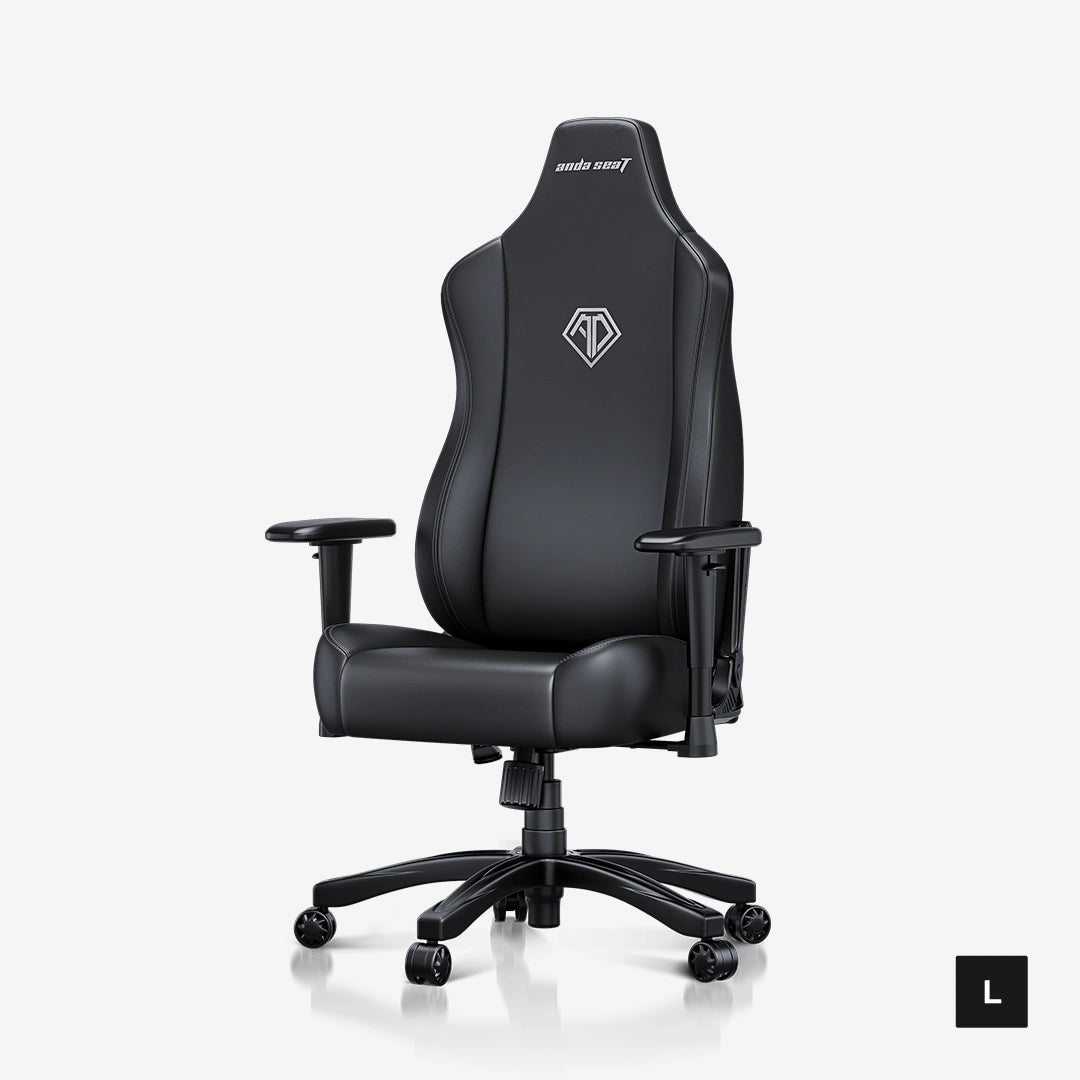
The Novis Series is positioned as a value-focused option within AndaSeat's lineup. Its combination of a 5cm raised lumbar design and 7cm up-and-down armrest adjustment gives it several ergonomic characteristics without moving into the highest price category.
This makes the model relevant for first-time gaming chair buyers, students, casual gamers, and home-office users who want to improve their seating without immediately choosing a premium chair.
Its appeal is especially strong when the priority is getting core ergonomic features at a comparatively accessible price. Buyers should still compare the chair's dimensions with their own body measurements before making a final decision.
What Makes the Kaiser 3E Series Stand Out?
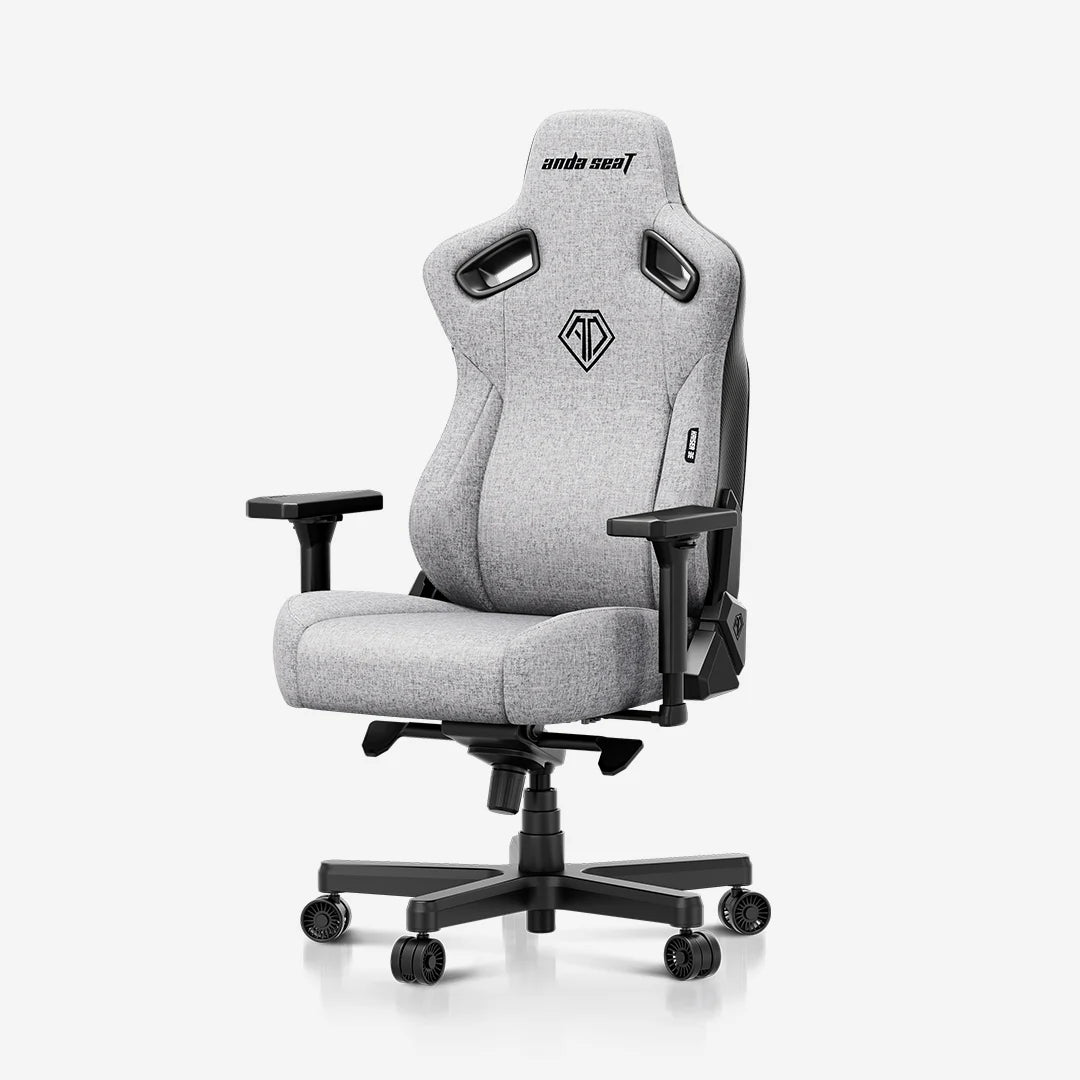
The Kaiser 3E Series takes a step toward more comprehensive adjustability. AndaSeat highlights its 5cm raised lumbar support and 4D armrests, while its current product listings include both L and XL configurations.
The 4D armrests give the Kaiser 3E a broader adjustment range than a simple height-only system. This can be useful for users who frequently move between different desk activities.
The model is also positioned as a more affordable option within the Kaiser family, making it an interesting choice for buyers who want several premium-oriented features without choosing the most expensive model in the lineup.
What Makes the Kaiser 4 Series Different?
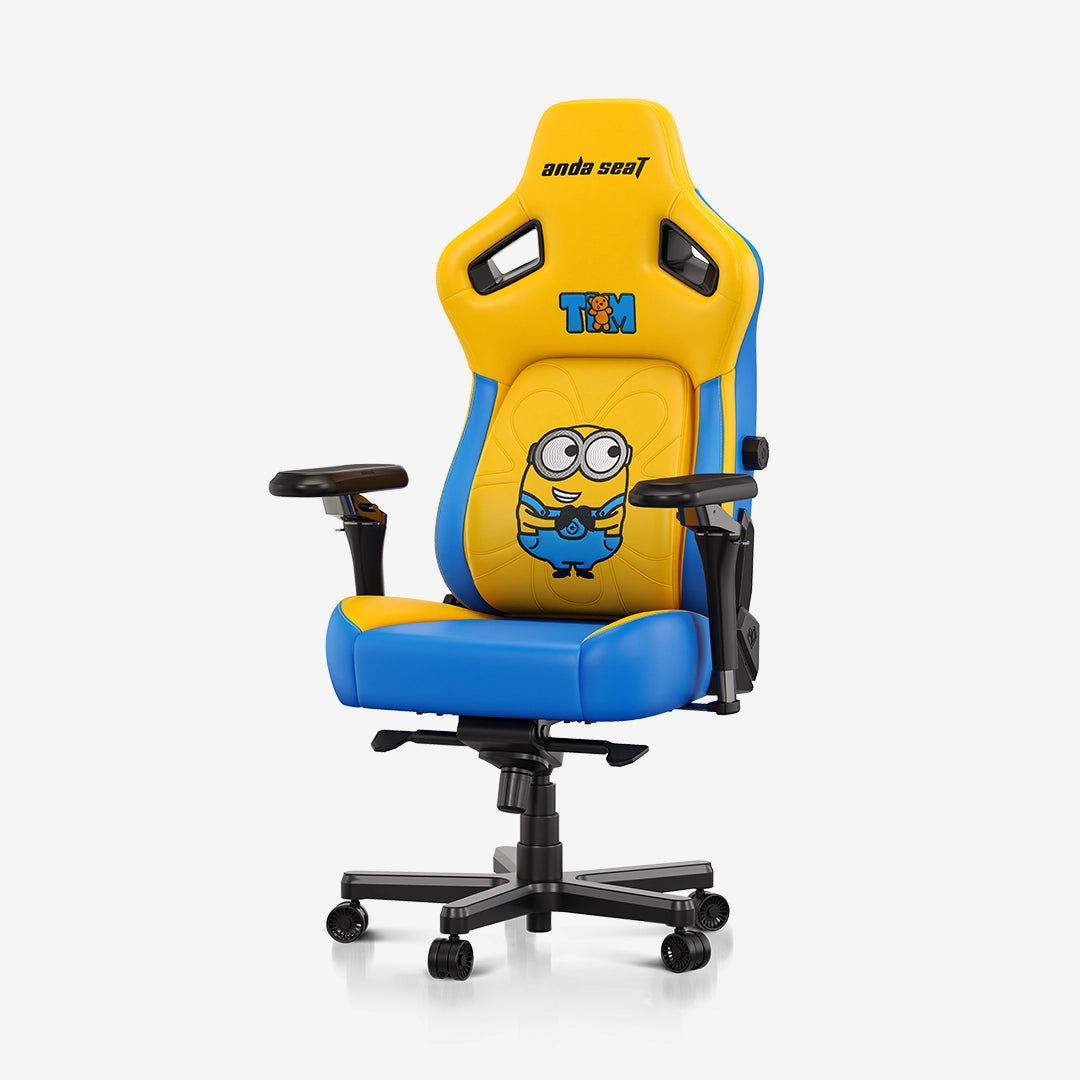
The Kaiser 4 Series is aimed at users who place a particularly high value on adjustability. Its current specifications highlight a pop-out lumbar system with any-angle locking, 6D armrests, and stain-resistant sustainable leather.
Six-dimensional armrests offer extensive positioning flexibility, which can be particularly useful for users who spend long periods switching between mouse-and-keyboard gaming, controller gaming, productivity work, and media consumption.
The advanced lumbar mechanism is another major distinction. Rather than relying solely on a loose cushion, the system is integrated into the chair and can be adjusted to the user's preferred position.
For buyers who are prepared to spend more in exchange for greater adjustability, the Kaiser 4 can therefore occupy the premium end of this comparison.
Ergonomic Features Should Work Together
One common mistake when shopping for an ergonomic gaming chair is evaluating features individually. Lumbar support, armrests, seat height, recline, and cushioning do not operate independently.
For example, an excellent lumbar system may not feel effective if the seat is positioned too high. Similarly, highly adjustable armrests may not help if the desk itself is at an unsuitable height.
The best setup is one in which the chair, desk, monitor, keyboard, and mouse work together.
Chair height should allow the feet to remain supported. The backrest should provide comfortable contact, while the armrests should allow the shoulders to remain relaxed. The monitor should also be positioned so that the user does not constantly need to bend the neck downward.
Build the Rest of the Setup Around the Chair
An ergonomic gaming chair is only one part of a comfortable workstation. Desk height is especially important because it influences arm and shoulder positioning.
A monitor should generally be positioned at a height that allows comfortable viewing without constant neck flexion. Keyboard and mouse placement should leave enough room for natural arm positioning.
A footrest may also be useful for some desk configurations, particularly when chair height needs to be adjusted to accommodate the desk.
Lighting should not be overlooked either. Excessive screen glare can make long sessions less comfortable, while insufficient ambient lighting can make the screen feel excessively bright by comparison.
Avoid Choosing a Chair Based Only on Appearance
Gaming chairs often feature bold designs, racing-inspired silhouettes, contrasting colors, or special-edition themes. Appearance can certainly matter, especially when building a coordinated setup, but it should not be the primary purchasing factor.
A visually impressive chair that lacks the right dimensions or adjustment range may become frustrating over time.
A better approach is to establish the essential ergonomic requirements first and then choose a design that fits the room and personal style.
AndaSeat's lineup includes several colors and editions, while the underlying series provide different levels of ergonomic functionality. This allows buyers to prioritize practical requirements before selecting an aesthetic finish.
How to Choose the Right Chair in 2026
The right choice ultimately depends on priorities.
A buyer focused on value may find the Novis Series appealing because it combines essential ergonomic features with a lower starting price. Its raised lumbar design and adjustable armrests make it more versatile than a basic gaming chair.
Someone looking for additional armrest flexibility and a more substantial construction may prefer the Kaiser 3E Series. Its 4D armrests and raised lumbar support provide a useful balance between features and price.
For buyers who prioritize maximum adjustability among these three options, the Kaiser 4 Series stands out with its 6D armrests and adjustable pop-out lumbar mechanism.
There is no universal winner because body proportions, desk configuration, daily activities, and budget all influence the final choice.
A Practical Checklist Before Buying
Before purchasing an ergonomic gaming chair, several questions can help narrow down the options.
First, are the chair's dimensions appropriate for the user's height and body type? Second, does the lumbar system provide the desired level of adjustment? Third, can the armrests be positioned comfortably for the keyboard and mouse setup?
It is also worth checking the recline mechanism, seat dimensions, upholstery, wheelbase, weight capacity, warranty, and available replacement or support options.
Finally, the total cost should be considered alongside expected usage. A chair used for several hours every day may justify a greater investment than one used occasionally.
Final Thoughts
Choosing the ultimate ergonomic gaming chair in 2026 is less about finding the chair with the most features and more about finding the combination of support, adjustability, sizing, materials, and price that fits a particular routine.
The AndaSeat Novis Series provides a value-oriented entry point with raised lumbar support and adjustable armrests. The Kaiser 3E Series adds 4D armrests and a more advanced overall configuration, while the Kaiser 4 Series offers extensive adjustability through its 6D armrests and pop-out lumbar system.
For gamers, remote workers, students, streamers, and anyone spending substantial time at a desk, an ergonomic gaming chair can be an important investment in a more adaptable workstation. By focusing on fit and useful adjustments rather than appearance alone, buyers can make a more informed decision and build a setup designed around both productivity and entertainment.